18 reviews

Pocket Print — Mini Thermal Printer, No Ink

A pocket-sized thermal printer for photos, notes, and labels — no ink, just Bluetooth and tap.

  • Inkless thermal printing — no cartridges to run out of or replace
  • 1000mAh rechargeable battery — prints on the go, no outlet needed
  • Bluetooth-compatible with iOS 8.0+ and Android 4.4+ via free app
  • Supports labels, photos, and text in 10 languages — works worldwide
  • Compact 87×90×40mm body — fits in a pocket or pencil case
Color
Electrical outlet

4 interest-free installments of $12.49 with Shop Pay.

Free US shipping on every order. Ships from US warehouses.

Designer-curated
Ships from the US
30-day easy returns
Free US shipping
Details

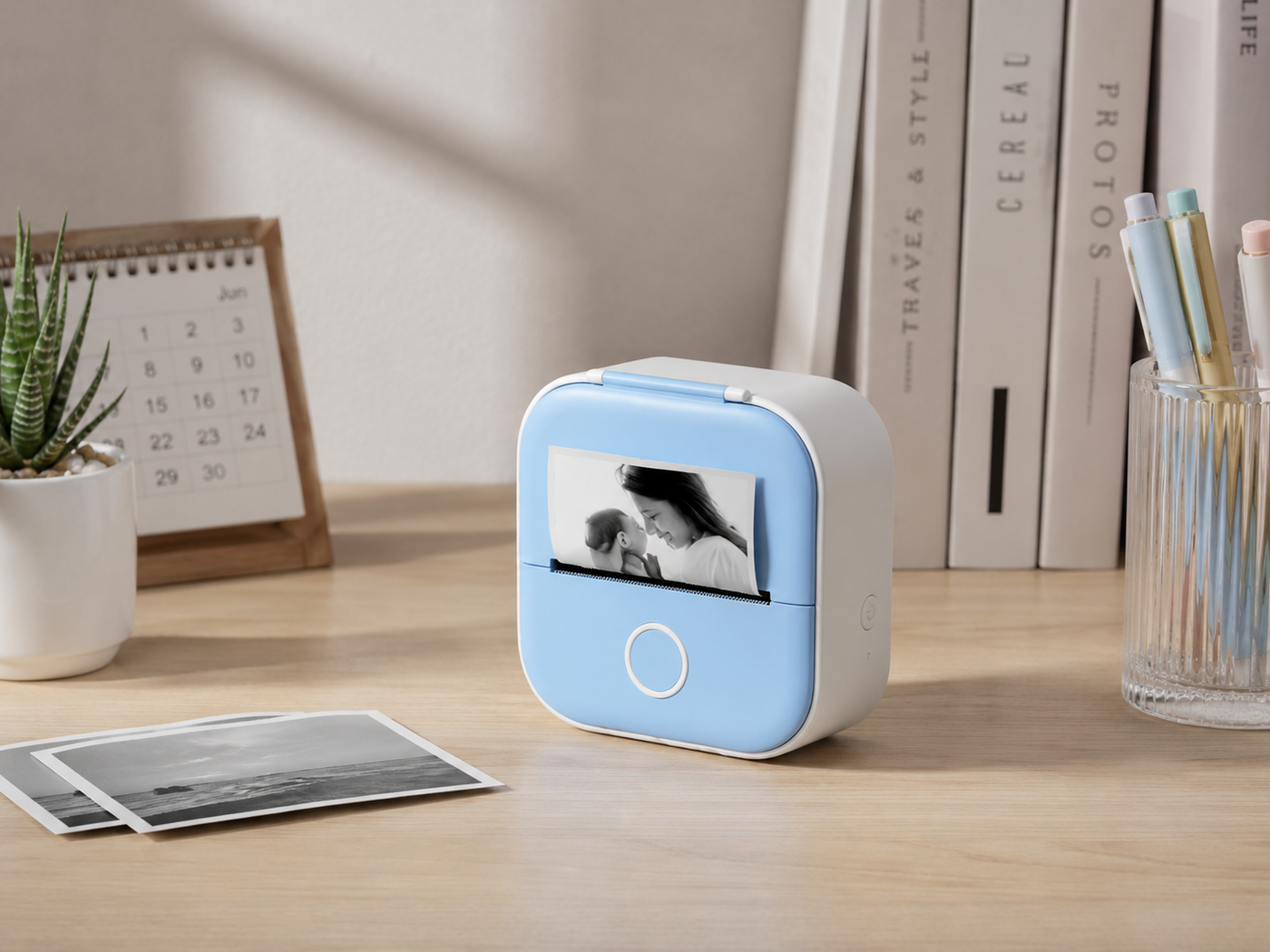
A palm-sized thermal printer that prints photos, labels, and notes straight from your phone over Bluetooth.

No ink and no cartridges — the thermal head darkens the paper directly, and the built-in 1000mAh battery recharges over USB, so it's ready in a bag, at a desk, or in class.

Why we love it

  • Inkless printing — thermal tech means no cartridges, ever
  • Pocket-sized body — slips into a bag for travel, class, or the kitchen
  • Bluetooth from your phone — print straight from iOS or Android
  • Rechargeable battery — 1000mAh built-in, no cords while you print
  • Works with photos, notes, and labels — one tool, many uses

Specs

  • Material: ABS
  • Dimensions: 87 × 90 × 40 mm
  • Print method: thermal, inkless
  • Connection: Bluetooth
  • Compatible with Android 4.4+ and iOS 8.0+
  • Battery: 1000mAh lithium, rechargeable
  • Power input: USB
  • Includes one roll of thermal paper
  • Paper options: non-stick, transparent, or colored sticker rolls
  • App available in 10 languages

Common questions

Do I ever need to buy ink?
No. It uses thermal printing, so the heat darkens the paper directly. You'll only need to replace the paper rolls.

Will it work with my phone?
Yes, if you're on Android 4.4 or iOS 8.0 and above. You connect through the free companion app over Bluetooth.

What can I actually print?
Photos, handwritten or typed notes, study sheets, price tags, and sticker labels. The app has templates for each.

How long does the battery last?
The built-in 1000mAh battery handles a long printing session on a full charge. Recharge over USB when it runs low.


Free US shipping on every order · Free 30-day returns · Tracked delivery

Good to know
Best for
Desk, bedside, travel, and on-the-go
Care guide

Wipe the housing with a dry or lightly damp cloth and keep moisture away from ports and the motor. Charge fully before long storage, and avoid leaving it in a hot car or direct sun. Use the cable it ships with to keep the warranty intact.

Designer-curated
Considered materials
Free US shipping
30-day easy returns
1,937+ verified reviews
For real homes

In context

Designed to elevate your space

Pairs over Bluetooth with Android 4.4+ and iOS 8.0+ phones
Thermal printer at a desk, a photo strip sliding out on a slow Sunday
Built-in 1000mAh rechargeable lithium battery, no cords while you print
Companion app prints photos, text, labels, and study sheets
Paper rolls in non-stick, transparent, or colored sticker options
App available in 10 languages

REVIEWS

Real reviews

5 · 12 reviews
Lissett m alvarez Verified

Compact and Easy-to-Use Portable Thermal Printer

I loved this portable mini printer. It is very easy to connect to your phone via the app and doesn't require ink, which helps save money. The print quality is good for notes, labels, lists, drawings, and black-and-white photos. Plus, it comes with several rolls of paper so you can start using it right away. Its compact size makes it perfect for taking anywhere.
Tiffany Verified
Great quality for the price. Shipped fast and arrived in perfect condition.
Vanessa Verified
I love it! Looks beautiful in my home and exactly what I was hoping for.
Melissa fernandez Verified

It is Compact ,lightweight and easy to use

I’m really impressed with this mini printer. It’s compact, lightweight, and easy to carry in a pocket or bag. The Bluetooth connection to my phone was quick, and the app is simple to use. The print quality is clear for notes, labels, checklists, and small DIY projects. I also like that it uses thermal printing, so there’s no need to buy ink. The included paper rolls are a great bonus and last a while. The battery life is good, and it charges quickly. It’s a fun and practical gadget for organizing, studying, journaling, or making labels at home or work. Overall, this is a convenient, portable, and affordable printer that works exactly as expected. I would definitely recommend it.
AJ A. Verified
So happy with this. The quality surprised me — feels much more expensive than it was.
Melvin Sawh Verified
Came exactly as pictured and the quality is great. Very happy with this purchase!
Destiny Verified
Beautiful and good quality. Everyone who sees it asks where I got it.
Nicole Verified
Honestly better than I expected. Looks high end and feels solid.
Alexis Verified
Perfect addition to my home. Arrived well packaged and looks lovely.
Crystal Verified
Looks even better in person. It fits perfectly in my space and feels well made.
Mariah Verified
Gorgeous and well made. Exactly as described and great value.
Brooke Verified
Exactly what I needed. Sturdy, nice finish, and looks great where I put it.
How to care for your piece

Care guide

How to care for your piece

  1. Charge Before First Use

    Charge Before First Use

    Plug into USB-C for 2-3 hours until the indicator light turns solid. A full 1000mAh charge gives you about 3-5 rolls of printing before it needs juice again.

  2. Load Thermal Paper Correctly

    Load Thermal Paper Correctly

    Open the top latch, drop in a 57mm roll with the shiny side facing up toward the print head, and pull a few inches through before closing. Scratch the paper with a fingernail - if it leaves a dark mark, it's oriented right.

  3. Pair Over Bluetooth

    Pair Over Bluetooth

    Download the companion app (check the quick-start card for the exact name), turn on the printer, and pair through the app rather than your phone's Bluetooth menu. Grant photo and file permissions so it can pull images directly.

  4. Keep Paper Cool And Dark

    Keep Paper Cool And Dark

    Store extra rolls in a drawer away from sunlight, heat vents, and humid spots like the bathroom. Thermal paper fades or turns black when exposed to heat, so don't leave the printer in a hot car either.

  5. Clean The Print Head Monthly

    Clean The Print Head Monthly

    Power off, open the lid, and gently wipe the thin metal strip with a cotton swab dipped in isopropyl alcohol. Let it dry fully before closing - this prevents faded prints and doubles the printer's lifespan.

Frequently asked

FAQs

No. It uses thermal printing, so the heat darkens the paper directly. You'll only need to replace the paper rolls.

Yes, if you're on Android 4.4 or iOS 8.0 and above. You connect through the free companion app over Bluetooth.

Photos, handwritten or typed notes, study sheets, price tags, and sticker labels. The app has templates for each.

The built-in 1000mAh battery handles a long printing session on a full charge. Recharge over USB when it runs low.

It ships free from the US, with tracking on every order.

Send it back within 30 days for a free return — no restocking fees, no hassle.

Still browsing?

More favorites like this

Shop all